Free
Calculate and compare on screen. Keep up to three open deals and six prospects.
 DealDesk CRE
FOR COMMERCIAL LEASING BROKERS
Work through rent steps, free rent and additional rent before you present a shortlist. Start with the free worksheet, or compare on your iPhone or iPad in DealDesk.
See the two-offer workflowTry the comparison free in DealDeskOn-screen comparison is free. Client PDF export requires Pro.
The 2-page worksheet is free, printable and completed manually.
FROM THE SHORTLIST TO THE CLIENT
Bring the lease options into one client view, with broker compensation excluded. Review the terms and modeled costs on screen before deciding whether you need a PDF.
Calculate and compare on screen. Keep up to three open deals and six prospects.
Export the client comparison as a PDF and keep unlimited deals and prospects. Current regional prices appear in the app.
Use a fictional example or terms you have already verified. A lower modeled cost does not establish which property suits your client.
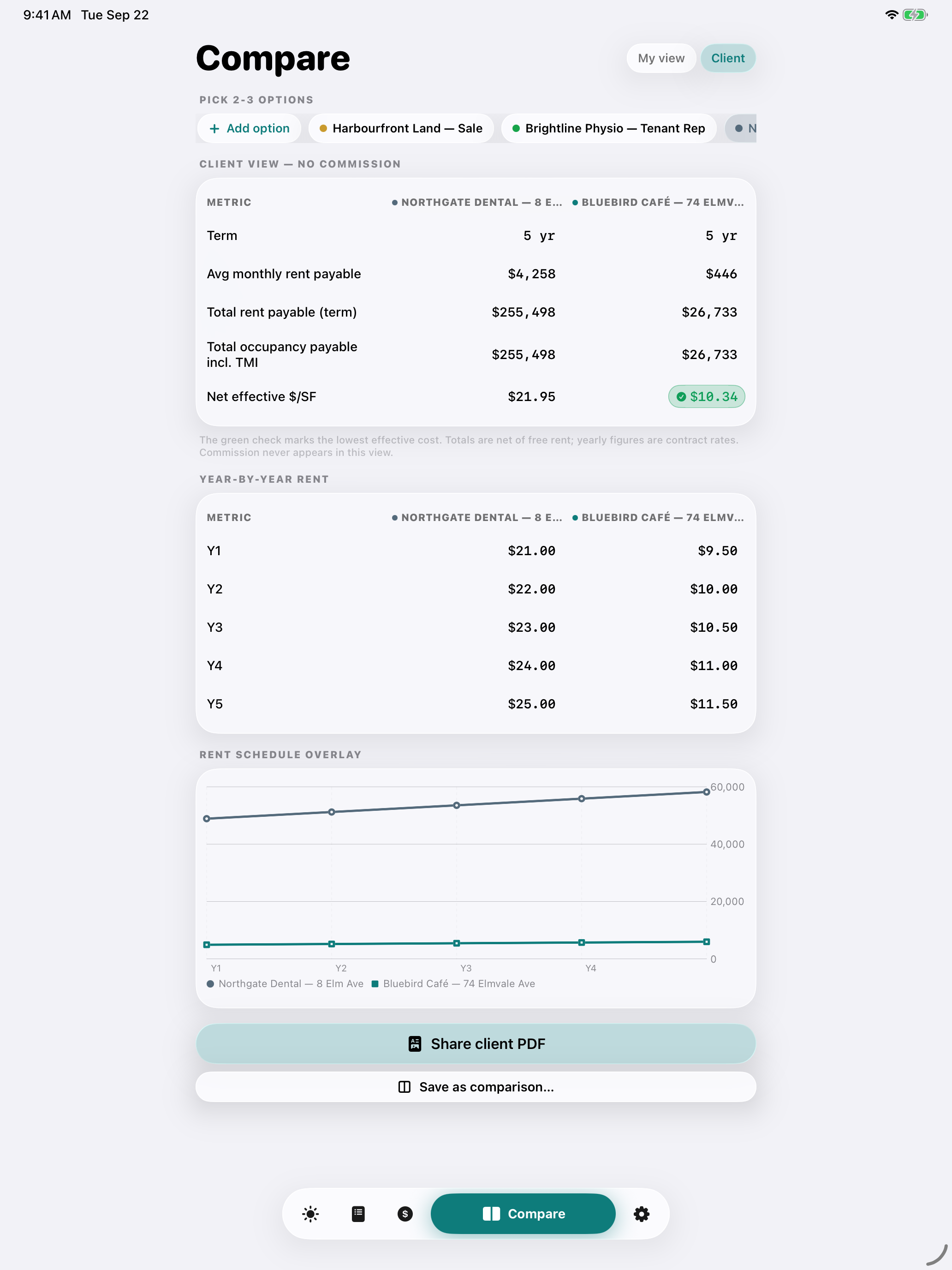
Use this fictional shortlist to judge whether saving and reopening a client comparison helps your own process. All amounts are CAD. The inputs below match the worked example and worksheet.
Open Compare, choose Add your first option (or Add option if you already have prospects), and enter Option A. Tap Add, then repeat for Option B. These are prospects; you do not need to enter commission terms.
| App field | Option A | Option B |
|---|---|---|
| Address | Fictional Option A | Fictional Option B |
| Square footage | 2,000 | 2,000 |
| Asking net rent | $25 | $24 |
| Escalation | $1 | $1 |
| TMI / additional | $12 | $14 |
| Term / + months | 3 yr / 0 mo | 3 yr / 0 mo |
| Free rent | 2 mo | 0 mo |
| TI allowance | $0 | $0 |
The example places free rent at the start of the term and waives base rent only. TMI remains payable. Enter these values manually; document capture does not fill this form.
Select both options and choose Client. Check the rent schedule and totals against the worked example below. The client comparison excludes broker compensation.
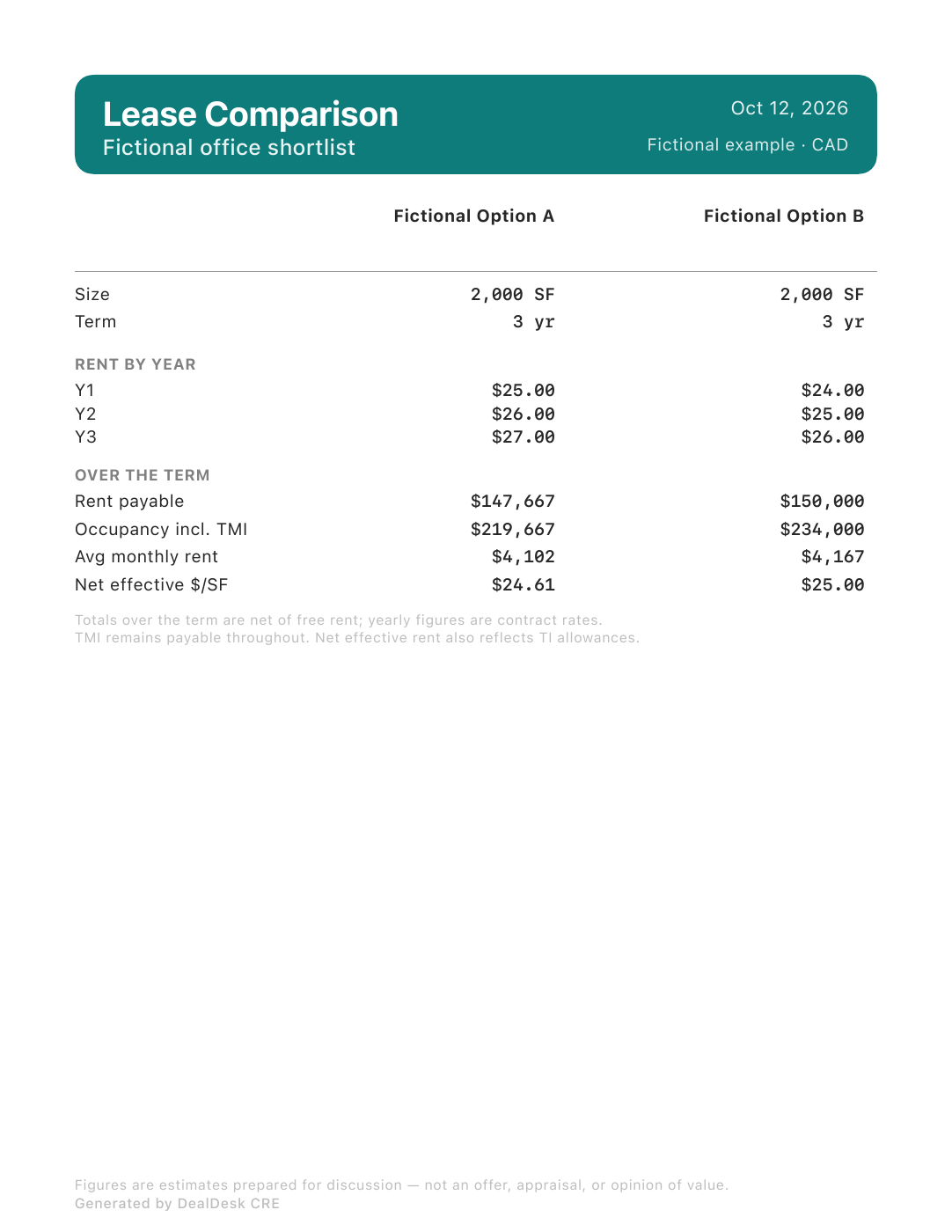
The modeled base rent plus TMI is $219,666.67 for A and $234,000.00 for B. The app displays these totals rounded to whole dollars: $219,667 and $234,000. Net effective base rent is $24.61 and $25.00/SF/year, with no TI allowance in this example.
Choose Save as comparison…, give the shortlist a name and tap Save. Return to Compare, choose the saved group under Comparisons, then choose Client. With Pro, Share client PDF prepares the same comparison for the destination you select.
Free includes the on-screen comparison and up to six prospects. PDF export is optional and requires Pro. Property suitability, lease obligations and costs outside this model still need your review.
Already have a spreadsheet that covers this? Compare the two processes. Keep using the tool that makes your work easier; tell us where DealDesk adds steps or leaves something out.
INSPECT THE OUTPUT BEFORE YOU UPGRADE
This sample uses the same fictional inputs as the walkthrough. Open it to judge the layout, rent schedule and totals before deciding whether the Pro export belongs in your process.
Open the sample client PDFGenerated with DealDesk’s current PDF exporter using fictional data. No Pro purchase is needed to view this sample. Exporting your own comparisons in the app requires Pro.
The PDF rounds totals to whole dollars. Its “Occupancy incl. TMI” row is the modeled base rent plus entered TMI, not a complete occupancy budget. The free-rent inputs and exclusions are listed on this page.
01 / FOLLOW THE NUMBERS
Option B starts at $24 per square foot; Option A starts at $25. But A includes two months of base-rent relief and lower assumed additional rent. Here is the same 36-month period for both.
| Assumption or result | Option A | Option B |
|---|---|---|
| Rentable area / term | 2,000 sf / 36 months | 2,000 sf / 36 months |
| Year 1 / 2 / 3 base rates | $25 / $26 / $27 | $24 / $25 / $26 |
| Base-rent-free months in Year 1 | 2 months | 0 months |
| Additional rent (TMI), each year | $12 / sf / year | $14 / sf / year |
| Scheduled base rent | $156,000.00 | $150,000.00 |
| Less: base-rent concession | $8,333.33 | $0.00 |
| Base rent payable over term | $147,666.67 | $150,000.00 |
| Additional rent over 36 months | $72,000.00 | $84,000.00 |
| Modeled rent total over term | $219,666.67 | $234,000.00 |
| Effective base rent / sf / year | $24.61 | $25.00 |
| Modeled rent total / sf / year | $36.61 | $39.00 |
The example holds additional rent constant and assumes it remains payable during the base-rent-free period. It excludes sales taxes, utilities outside TMI, parking, fit-out costs, tenant allowances, deposits and other fees. The modeled rent total is not a complete occupancy budget.
02 / CHECK THE METHOD
Option A: 2,000 sf × ($25 + $26 + $27) = $156,000 scheduled base rent over three full years.
Two base-rent-free months in Year 1: 2,000 × $25 × 2 ÷ 12 = $8,333.33. Base rent payable becomes $147,666.67.
2,000 sf × $12 × 3 years = $72,000. Add it to base rent payable: $219,666.67 modeled rent for Option A.
For effective base rent, divide base rent payable by the rentable area and term in years: $147,666.67 ÷ 2,000 ÷ 3 = $24.61/sf/year. Including the modeled additional rent gives $36.61/sf/year.
The concession rounds to cents; annualized figures round to two decimals. This is a simple undiscounted comparison. Different definitions of “net effective rent” may include other incentives or discounting, so state the method whenever you share a number.
03 / USE IT WITH YOUR OWN OPTIONS
Page one explains the example. Page two leaves room for your properties, schedules, concessions, additional rent and open questions. No commission information appears in the comparison.
Download the 2-page PDF ↓Additional rent covers charges beyond base rent as defined by the lease. TMI commonly refers to taxes, maintenance and insurance. The inclusions and estimates must come from the specific lease and property, and costs may change. BDC’s commercial leasing budget guide explains why the budget needs to extend beyond base rent.
Not in this example: only base rent is waived. Additional rent remains payable. For a real offer, confirm dates and which charges the concession covers before doing the calculation.
Yes, but a smaller total may simply reflect less space or a shorter commitment. Show the actual area, term, total commitments and annualized rates together. A per-square-foot figure does not show whether the space meets the client’s needs.
No. It is a printable planning worksheet, completed manually. Enter your own verified terms separately in DealDesk to calculate and compare in the app.
Calculate leases and sales, keep up to three open deals and six prospects, compare options on screen, and capture, review and share summary text. Pro adds client comparison PDFs, other PDF exports and unlimited deals and prospects. The app displays current regional pricing.
HELP SHAPE THE NEXT IMPROVEMENT
Tell us what you currently use, whether you saved and reopened the comparison, and where you had to re-enter information. Would you use the client output? Have you returned on another day?
Optional email feedback to the maker. Share your role if you wish; leave out client identities, documents and confidential terms.
Follow the commission through your brokerage share and team deduction, using your own agreements.
Use the free commission split calculator